¶ Airdrop Modification
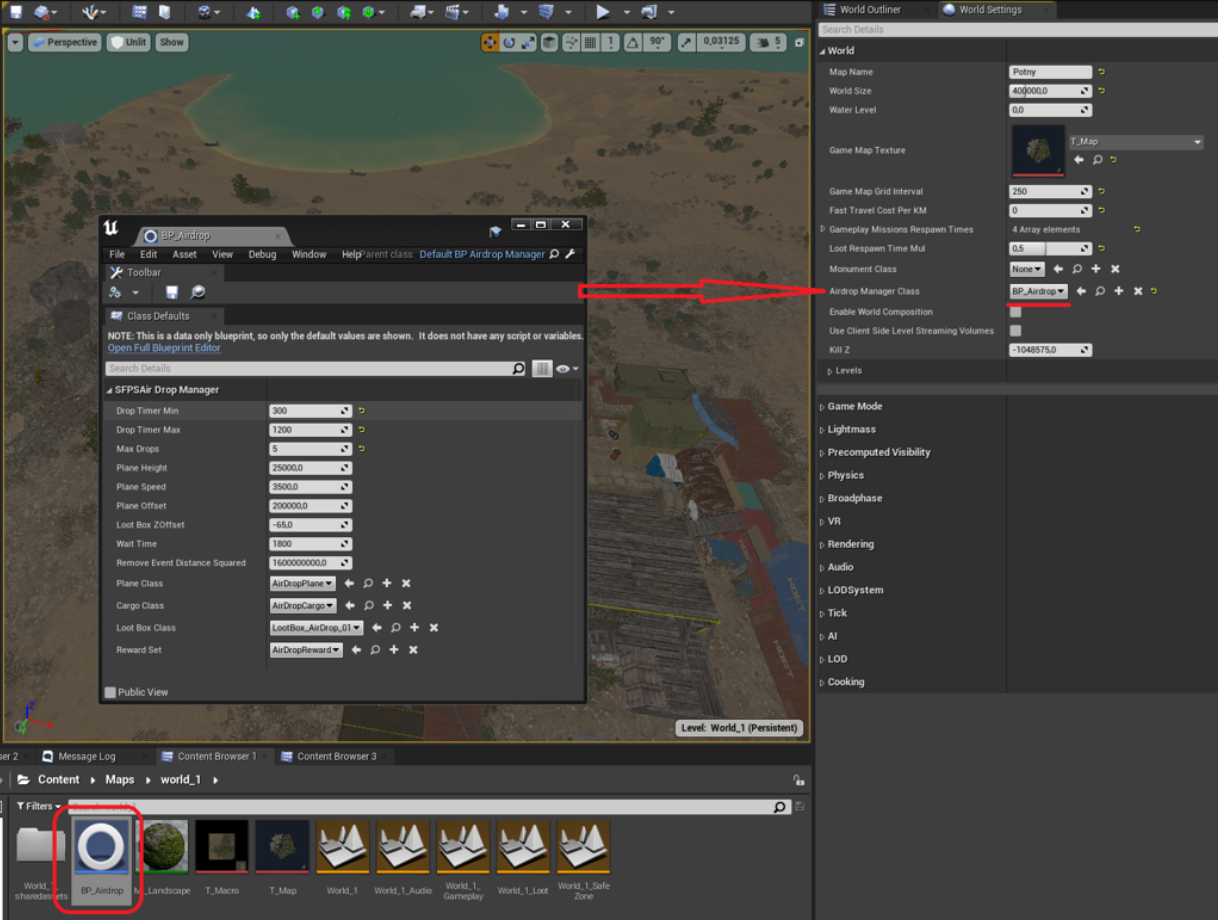
To modify airdrops, we are going to edit the BPAirdrop event manager. This can be located at Content/Maps/world0/BP_Airdrop
If you are making a new map you can set it directly, but if you are using an existing map, there are two ways to modify BPAirdrop. We can change its settings in the ModRegistry, or replace BPAirdrop with our own modded version. Replacing BP_Airdrop is simpler, however conflicts can arise if multiple mods use this method. In that case, editing in ModRegistry makes your mod more compatible.
To replace BPAirdrop, make a duplicate of BPAirdrop and place it in your mod folder. Be sure to give your version a custom name. Then in your ModRegistry connect Event WorldBeginPlay to Set Airdrop Manager Class. In your Set node, select your modded BP_Airdrop.
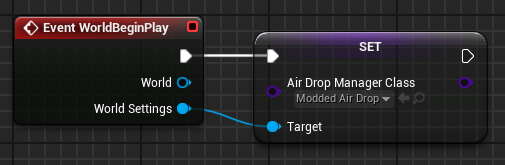
We can also edit BP_Airdrop using nodes in the ModRegistry. Using Get Air Drop Manager, we can set the target of nodes like Set Drop Timer Max. Then use the Update Params node using the return value of Get Air Drop Manager, then update the class with Set Air Drop Manager Class. A useful example of this can be found in the example mod.
By editing the BP_Airdrop blueprint, we can change lots of parameters. Drop timer min and max determines the amount of time it may take for a drop to trigger. Plane height, speed, and offset determine the flight characteristics of the helicopter. Loot Box ZOffset changes the vertical offset of the loot box itself. Wait Time is the time that must elapse after an airdrop is triggered before another can potentially begin. Plane Class allows you to set what drops the airdrop. Cargo Class allows you to change the physical loot box. Reward Set allows you to create your own modded loot box rewards. More on making custom loot box rewards can be found in this video guide.